
A cloud PBX your customers can run
Give each customer a visual call flow editor that works in any browser. They make their own changes, and you spend less time on support.
- 30+ call-flow objects
- True multi-tenant platform
- Zero-touch phone provisioning
Sell to your customers
What your customers get
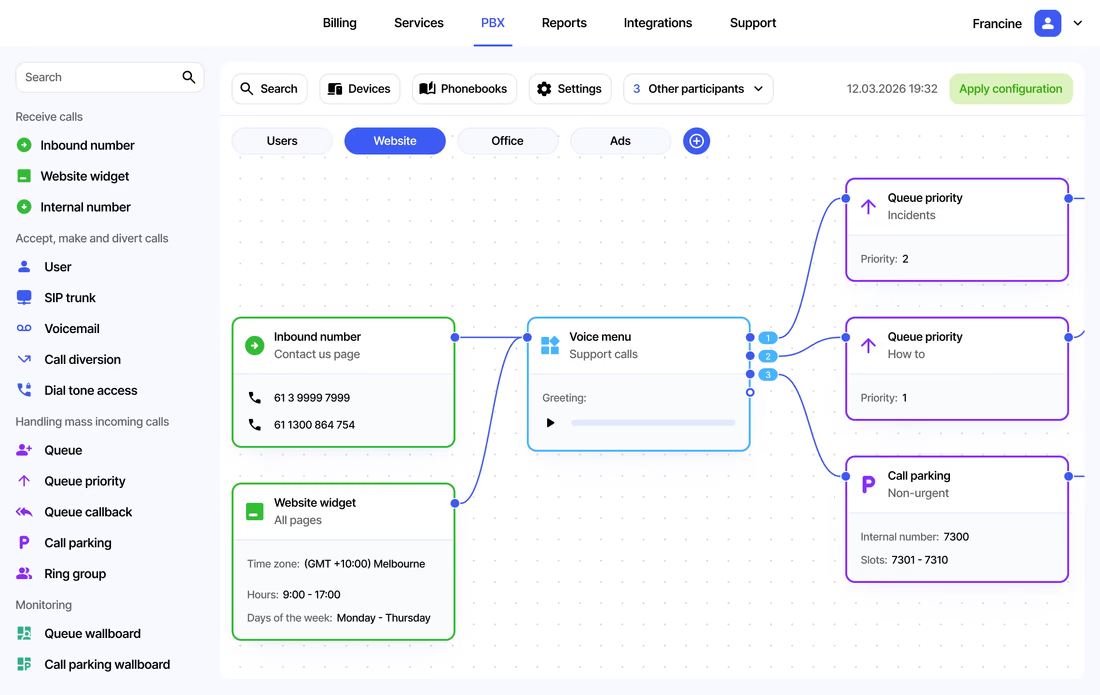
Drag-and-drop editor
Drop any of 30+ objects onto the canvas and link them to build the call flow.
Queues and callbacks
Hold callers with music, set queue priority, or let callers leave a number for a callback.
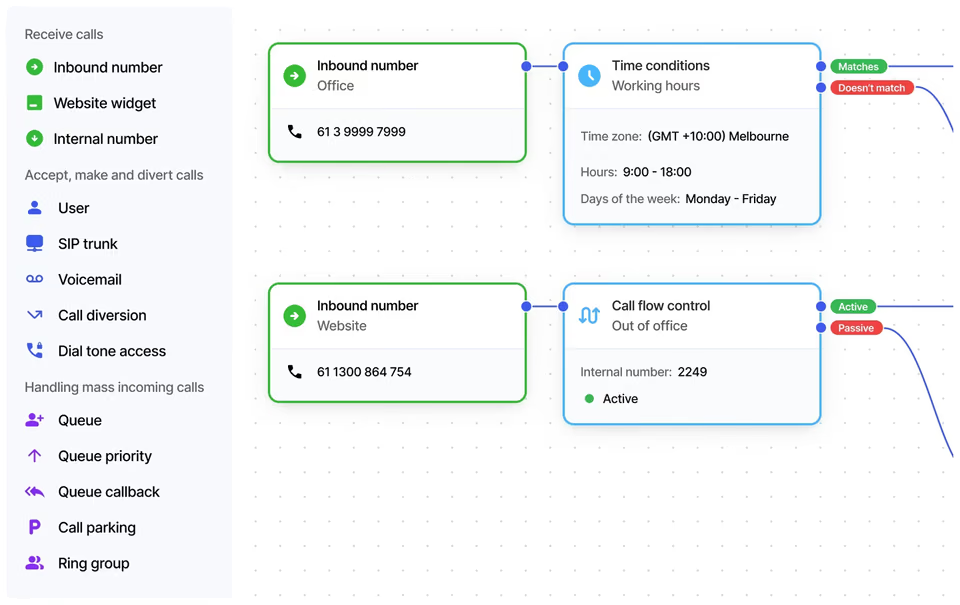
Time and location routing
Route any number by time, day or caller ID. Numbers that support location-based routing can also route by where the caller is.
Live call supervision
Supervisors can listen, whisper to the user, or join the call in real time.
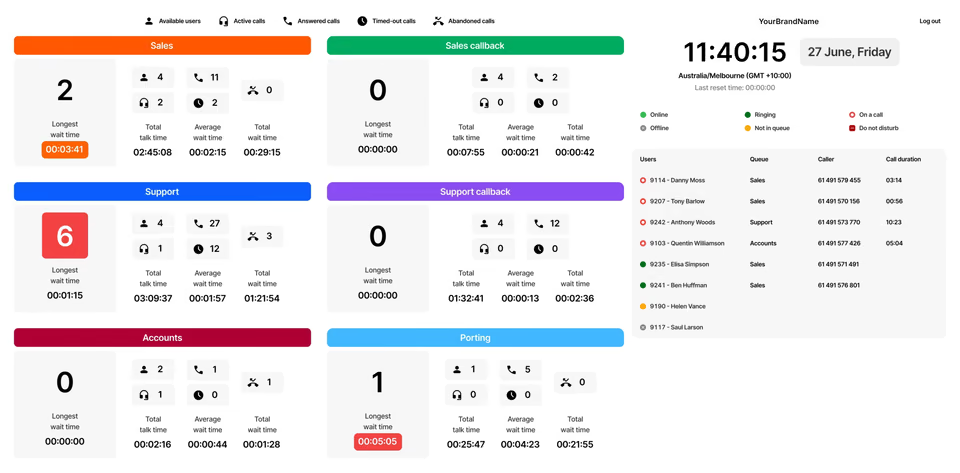
Wallboards on any screen
Show live queue and call parking status on a TV, monitor or phone.
Backups and rollback
Export the call flow and roll back to an earlier configuration if something is changed by mistake.
See it in action
Watch a call flow built in minutes
A step-by-step tutorial on the drag-and-drop editor. Share it with your customers, too.
More video tutorialsInside the editor
What each object does
Customers build a call flow by linking objects. Pick a group to see what each one is for.
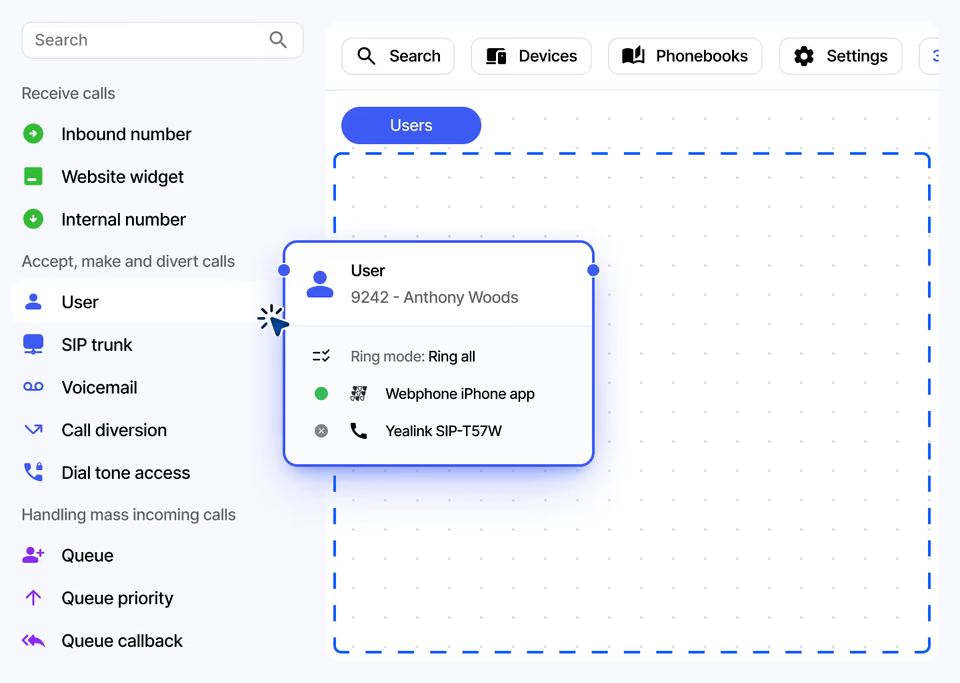
Call flow editor
Visual call flows anyone can follow
Customers drag objects onto the canvas and link them. Each object has its own settings. Separate tabs keep large flows tidy, and search finds any object across all tabs.
- Separate tabs for each call flow
- Search across all tabs and settings
- Copy objects or update them in bulk
- Import, export and roll back
Less support work
Built so customers can help themselves
Customers configure the system in the portal without calling you. Inbuilt video tutorials and an unbranded knowledge base guide them, and phones set themselves up.
- Inbuilt video tutorials
- Unbranded knowledge base
- Phones provision from a MAC address
- Fully rebrandable as your own
Call centre features
Queues, wallboards and reports for busy teams
Queues, ring groups, call parking and callbacks handle busy periods. Wallboards show live status, and ready-made reports cover users, queues and ring groups.
- Queue priority and queue callback
- Queue and call parking wallboards
- Daily reports by email or FTP
- Listen, whisper and join live calls
At a glance
Key facts
- Call-flow objects
- 30+
- Codecs
- Opus, G.722 (HD voice)
- Bandwidth
- About 80 kbps per call
- Network uptime
- 99.99%, independently monitored
- Security
- TLS, SRTP, automatic IP blocking
- Devices
- Webphone, Teams, SIP phones and softphones
Questions
Reselling Cloud PBX
Can’t see yours? Ask our partner team.
Can my customers keep their phone numbers?
Yes. We port numbers in from over 80 countries. Customers can add the number to their call flow before the port completes, so calls route correctly from cutover.
Can I put my own brand on it?
Yes. The platform is fully rebrandable. White-label partners can show their logo and domain on the customer portal, and supported phones pick up your branding when they provision.
What happens if a customer’s internet goes down?
Calls can be diverted to a mobile or another number, so the customer keeps receiving calls without an internet connection.
How much bandwidth does a customer need?
Each call needs about 80 kbps, or less with a compressed codec. A 24 Mbps connection can handle at least 300 simultaneous calls.
Read the guide
Step-by-step guides in the knowledge base, ready to share with your customers.
Also on the platform
Sell it together with
Start selling voice on your terms
Three steps, and the first takes five minutes.
- ApplyTell us about your business. It takes five minutes.
- Sign the NDAWe email a short non-disclosure agreement straight away. Partner pricing follows once it’s signed.
- Meet your account managerA portal demo and help choosing the right programme.