
Webphone apps for calls and SMS on every device
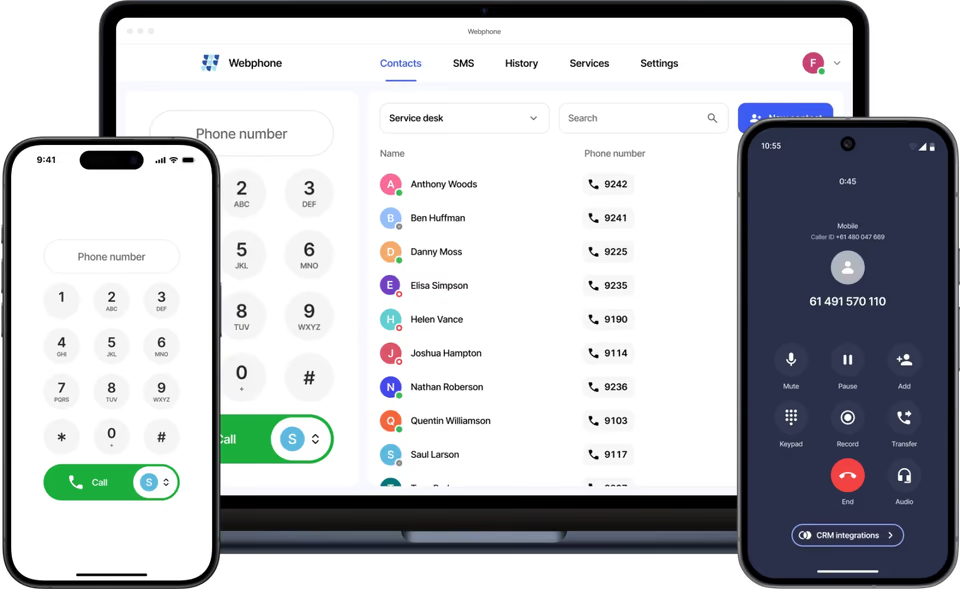
Webphone is our own softphone for business users. It runs on desktop, mobile and in the browser, and works closely with the cloud PBX.
- Desktop, mobile and browser
- Calls and SMS
- CRM caller details
Sell to your customers
What your customers get
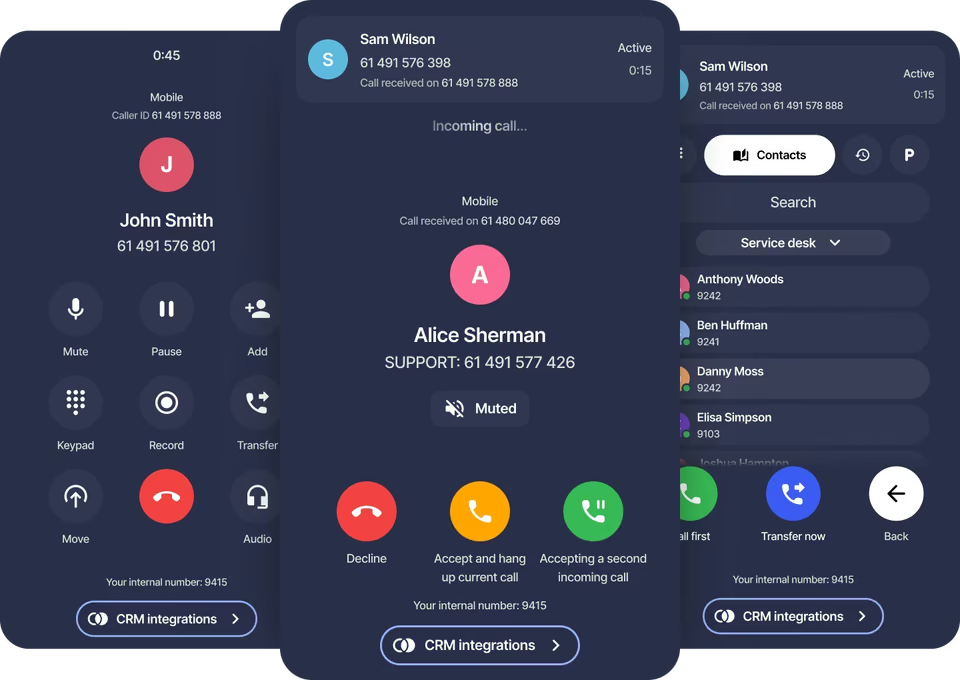
Blind or attended transfer
Transfer to a number, a contact, a call history entry or call parking.
Move calls between devices
Switch an active call to another device and the call continues for the other party.
Queue controls
Join or leave queues and ring groups, and see how many callers are waiting.
Voicemail
Listen to and download messages from several voicemail boxes, and update greetings.
Shared phonebooks
Phonebooks show colleague status: online, ringing, on a call or Do Not Disturb.
Encrypted calls
Call data is encrypted in transit, with endpoint authentication.
Calls
Call handling that makes sense to users
Users see which number was dialled before they answer. They can switch between calls, start a conference, choose the caller ID for each call, and dial straight from tel: links.
- Caller ID choice for each call
- Conference and call switching
- Start and stop recording per call
Messaging and CRM
SMS and customer details in one place
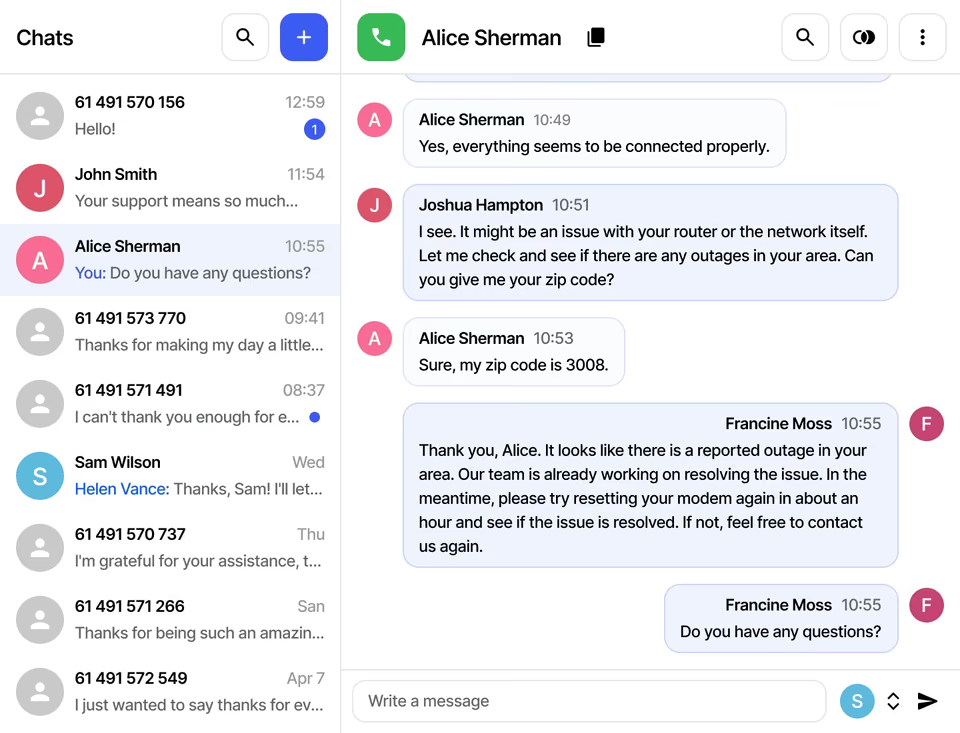
A team can share an SMS number with one message history. Connected CRMs show caller details, deals and tickets during calls, and Zapier can display data from other apps.
Fewer support calls
Settings users can change themselves
Users can switch Do Not Disturb on and off, set ring modes for their devices, add forwarding numbers and pick audio devices without asking an administrator.
- Eleven ringtones, six interface languages
- Notifications for calls, SMS and voicemail
- Change microphone during a live call
At a glance
Key facts
- Platforms
- Windows, macOS, Linux, iOS, Android, browser
- CRMs
- HubSpot, Zendesk, Zoho
- Automation
- Zapier
- Interface languages
- Six
- Security
- Encrypted in transit, endpoint authentication
Questions
Reselling Webphone apps
Can’t see yours? Ask our partner team.
Which devices does Webphone run on?
Windows, macOS, Linux, Android and iOS, plus any web browser.
Do my customers need desk phones?
No. Webphone works entirely over the internet, so staff can take business calls on a computer or mobile, in the office or working remotely.
Can Webphone show CRM data?
Yes. With an integration licence it shows caller information, deals and tickets from HubSpot, Zendesk or Zoho, and users can add call notes. CRM integrations work only in the Webphone, not in third-party softphones.
Can administrators limit what users change?
Yes. PBX administrators choose which users may leave queues and ring groups, and which phonebooks other users cannot edit.
Read the guide
Step-by-step guides in the knowledge base, ready to share with your customers.
Also on the platform
Sell it together with
Start selling voice on your terms
Three steps, and the first takes five minutes.
- ApplyTell us about your business. It takes five minutes.
- Sign the NDAWe email a short non-disclosure agreement straight away. Partner pricing follows once it’s signed.
- Meet your account managerA portal demo and help choosing the right programme.