
Business SMS and calls on the same number
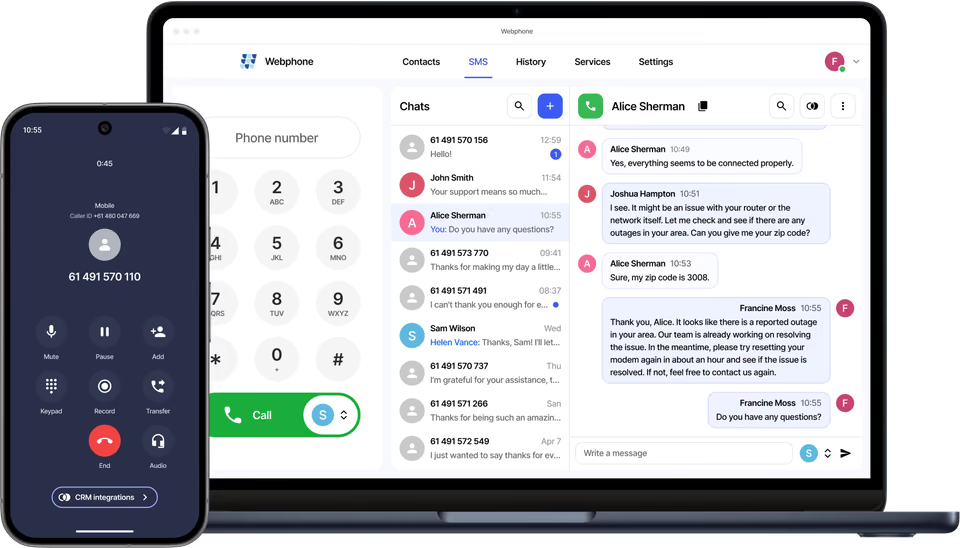
Your customers send and receive SMS from the number they already call from, on desktop, browser or mobile. A team can share one number and one message history.
- Voice and SMS
- SMS to email
- Alphanumeric sender ID
Sell to your customers
What your customers get
Any device
Send and receive SMS in the Webphone on desktop, in the browser or in the mobile app.
Shared numbers
Several users can reply from one number at the same time, with a single history.
Several numbers per user
One user can send and receive from several SMS-enabled numbers in one place.
SMS to email
Forward incoming SMS to several email addresses at once.
Alphanumeric sender ID
Send SMS with the company name as the sender ID.
Verification numbers
A dedicated business number for apps and websites that need SMS verification.
In the Webphone
One inbox for the whole team
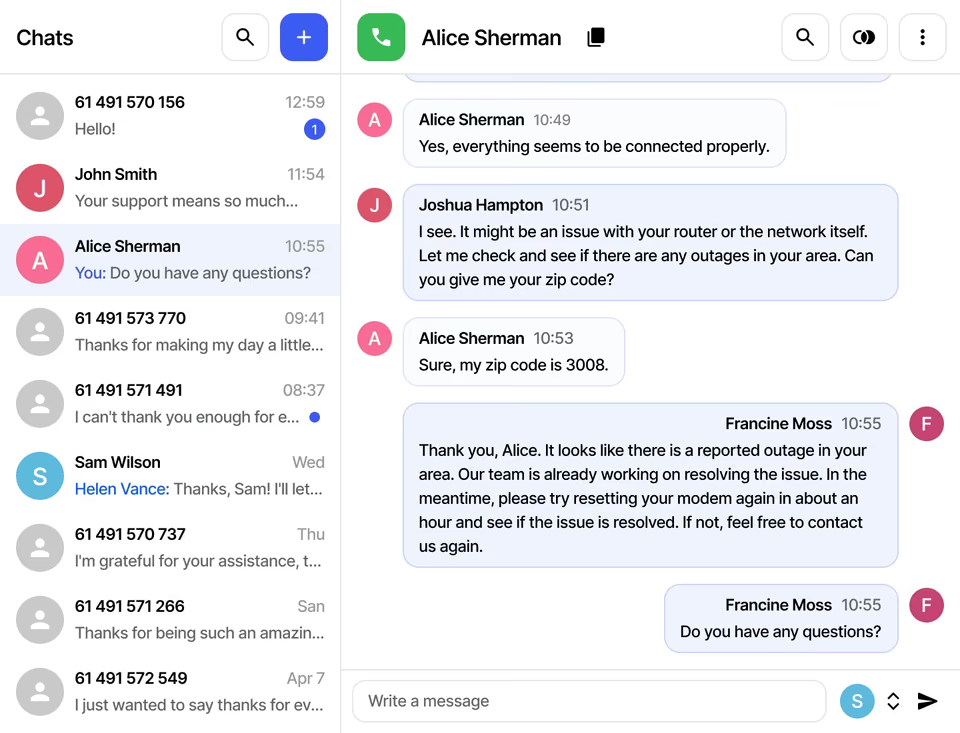
Messages sit next to calls in the Webphone. A team can chat from the same number, and anyone can mark a chat as unread to come back to it later.
- Multiple SMS IDs in one interface
- One message history per number
- Mark chats as unread
Integration partners
Campaigns and automation through partners
Connect an SMS-enabled number to touchSMS, Edgility or emu.chat for automated notifications, bulk campaigns, scheduled messages, templates and live reporting. Teams users can text through these partners too.
At a glance
Key facts
- Apps
- Webphone on desktop, browser and mobile
- Sender ID
- Any SMS-enabled number or company name
- Forwarding
- Incoming SMS to multiple email addresses
- Partners
- touchSMS, Edgility, emu.chat
Questions
Reselling Business SMS
Can’t see yours? Ask our partner team.
What works without a partner integration?
Incoming SMS to email, and sending and receiving SMS in the Webphone. Campaigns, scheduling, templates and reporting need one of our integration partners.
Can customers send from any of their numbers?
Yes. Any SMS-enabled number they hold can be the sender ID. Some countries restrict certain number types, which may limit their use.
Can my customers text from Microsoft Teams?
Yes, through an integration with touchSMS, Edgility or emu.chat.
Read the guide
Step-by-step guides in the knowledge base, ready to share with your customers.
Also on the platform
Sell it together with
Start selling voice on your terms
Three steps, and the first takes five minutes.
- ApplyTell us about your business. It takes five minutes.
- Sign the NDAWe email a short non-disclosure agreement straight away. Partner pricing follows once it’s signed.
- Meet your account managerA portal demo and help choosing the right programme.