
SIP trunks for the PBXs your customers have
Connect a customer’s on-premises or third-party PBX to our network. They get inbound numbers, outbound calls and hosted PBX features without replacing their system.
- 3CX, FusionPBX, AI agents
- Configurable SIP channels
- Automatic outage failover
Sell to your customers
What your customers get
Three connection modes
SIP registration, URI diversion to a remote server, or Microsoft Teams as the gateway.
Works with your PBX
Connect 3CX, FusionPBX and other phone systems, softphones or Yealink phones.
Carrier aggregation
Aggregate SIP traffic from multiple VoIP carriers on one platform.
Failover on outages
If the trunk is unreachable, calls divert automatically to a mobile or another number.
Set the channels
Choose how many SIP channels each trunk has, and adjust them as needs change.
Encrypted calls
Trunks can encrypt call data in transit and support HD voice codecs.
Operation modes
Register, divert or use Teams
Register the customer’s PBX or device with us, forward inbound calls to a SIP URI, or use a Teams Direct Routing account as the gateway with its own call plan and channels.
Hybrid setups
Add hosted PBX features to an existing PBX
SIP trunks and the hosted PBX work together. Calls reach an inbound number first, can pass through call flow features, then go down the trunk to the customer’s system.
- Inbound toll-free numbers
- Call recording on trunk calls
- Failover to a mobile number
Capacity
Plan channels around the internet link
Each channel carries one call. With G.711, a call needs about 80 to 100 kbps including overhead, so a reliable 8 Mbps link supports roughly 80 to 100 calls.
At a glance
Key facts
- Modes
- Registration, URI diversion, Teams gateway
- Compatible with
- 3CX, FusionPBX, AI voice agents, Yealink, softphones
- Codecs
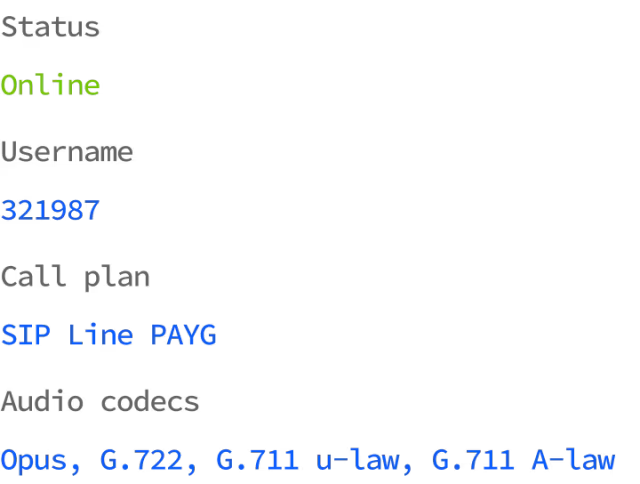
- G.711 u-law and A-law, HD voice codecs
- Bandwidth
- 80 to 100 kbps per G.711 call
- Security
- Encryption of call data in transit
- Network uptime
- 99.99%, independently monitored
Questions
Reselling SIP trunking
Can’t see yours? Ask our partner team.
How is SIP trunking different from the cloud PBX?
They work together. A SIP trunk connects an existing phone system to the cloud, while the cloud PBX is a full phone system. Combined, a customer keeps their PBX and can still use toll-free numbers or call recording.
What happens if the customer’s internet goes down?
Calls first reach an inbound number, then pass to the trunk. If the trunk is unreachable, calls are redirected automatically to a mobile or other number you configure.
Can I connect an AI voice agent?
Yes. SIP trunks work with a range of AI voice agent platforms, so an agent can answer and place calls on your customer’s numbers. Our knowledge base has setup guides for popular AI agents and PBXs such as 3CX and FusionPBX.
Can I bring in numbers from another carrier?
Yes. A SIP trunk can connect our system to other VoIP providers, so inbound calls on their numbers can use our call flows.
Read the guide
Step-by-step guides in the knowledge base, ready to share with your customers.
Also on the platform
Sell it together with
Start selling voice on your terms
Three steps, and the first takes five minutes.
- ApplyTell us about your business. It takes five minutes.
- Sign the NDAWe email a short non-disclosure agreement straight away. Partner pricing follows once it’s signed.
- Meet your account managerA portal demo and help choosing the right programme.